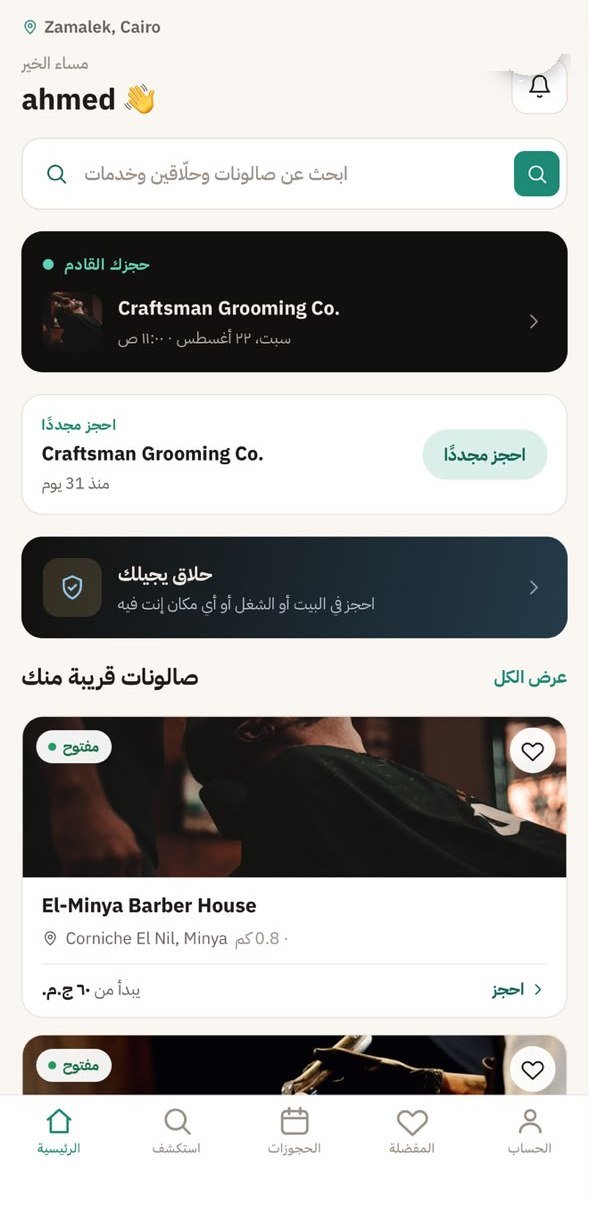
Slots that fit your booking exactly
Add a service and the duration grows — times that can no longer fit simply disappear. No booking gets cancelled for running out of time.
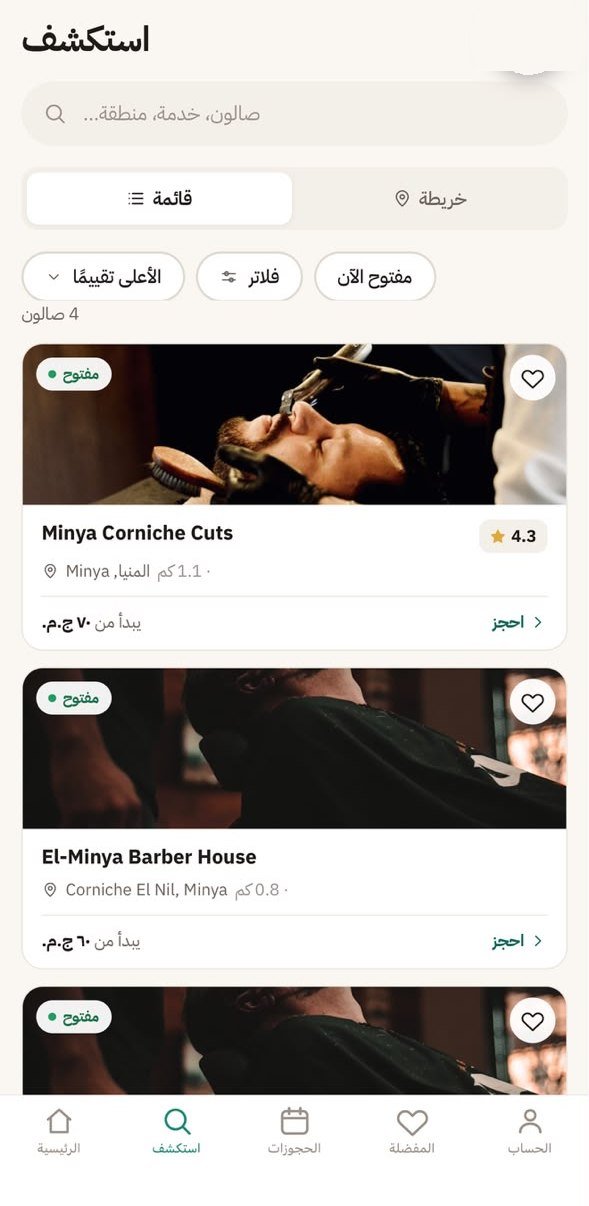
Barbero shows you the barbershops around you with their prices, reviews and genuinely open slots. Pick your services, your barber and a time — done. No calls, no queue.
Price, duration and time are all in front of you before you confirm.
Add a service and the duration grows — times that can no longer fit simply disappear. No booking gets cancelled for running out of time.
Your total price and time update live.
A specific one, the suggested one, or whoever is free first.
The platform fee is always visible.
Verified independent barbers visit your home or office, with the travel fee shown up front.
Not a translation: Barbero was designed in Arabic, English and German from day one. Screens shown in Arabic.
Search by area, salon or service, and browse results as a list or on the map.
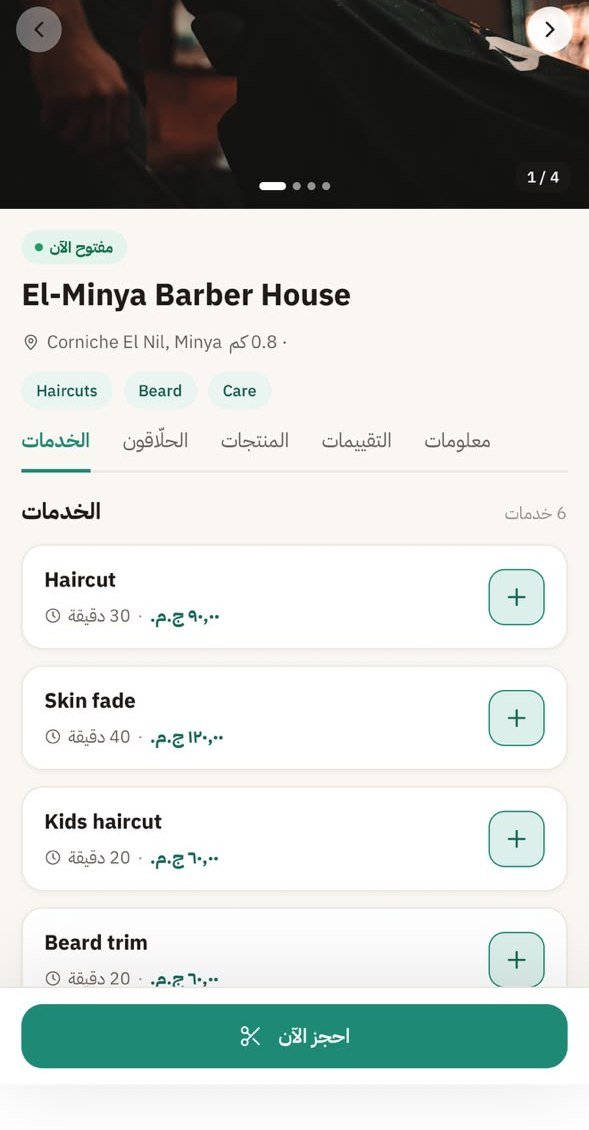
Photos, services with prices and durations, barbers, products, reviews, and cancellation and payment policies.
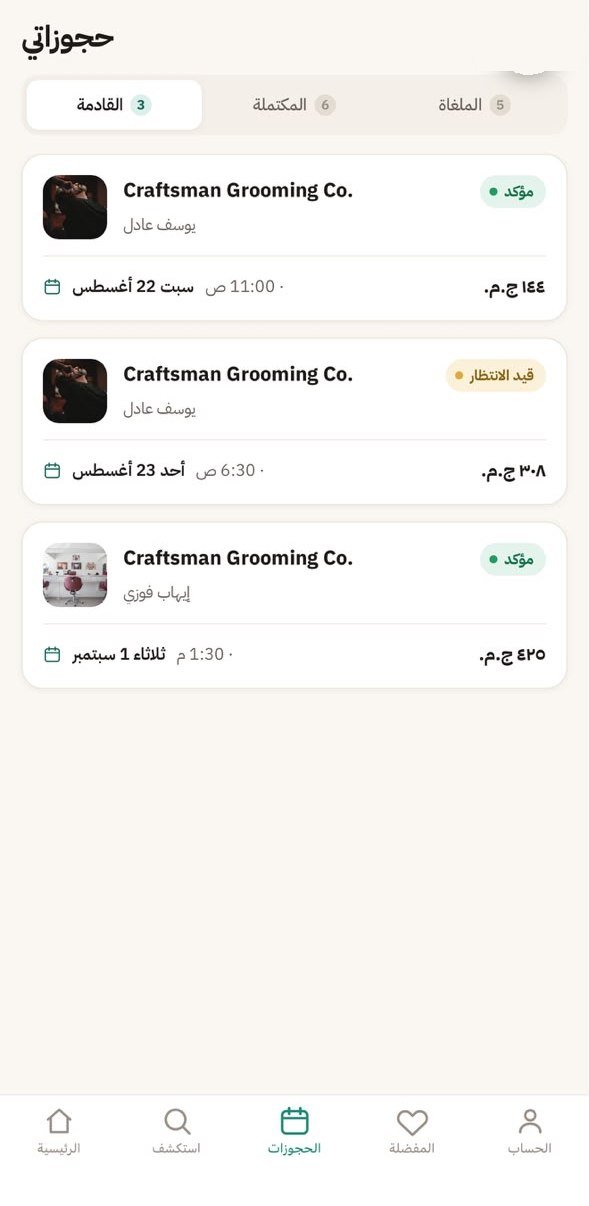
Every booking has a clear status in colour and words, plus a booking number and QR code. Reschedule, cancel, and track refunds.
No surprises at the counter. Everything is spelled out in your booking summary.

Illustrative example. Prices and fees vary by salon.
Run your bookings, barbers and services from one place — and reach new customers nearby.
List your salonDownloading and using the app is free. You pay for the services you book, and the platform fee is always shown before you confirm.
Pay in full online, pay a deposit and the rest at the salon, or pay cash at the salon — depending on what the salon accepts.
Yes, from My bookings. The app tells you about any cancellation fee before you cancel, and if you paid you can follow the refund status in the same place.
Egypt, Saudi Arabia and Germany, in Arabic, English and German, with prices in EGP, SAR or EUR.
Yes. Verified independent barbers offer home visits in their coverage areas, with the travel fee and terms shown before you book.
You can request deletion of your account and data at any time from the Delete account page on this site.